Lesson
Use Case 2: Weather-Triggered Events
Challenge to solve: How to trigger a message only when an important weather alert occurs.
In this use case, we'll build an event triggered by a weather service alert using the following tools:
- External webhooks
- Data Transformations
- API-triggered campaigns
- Liquid
- Braze webhooks for testing
Use Case Outcome
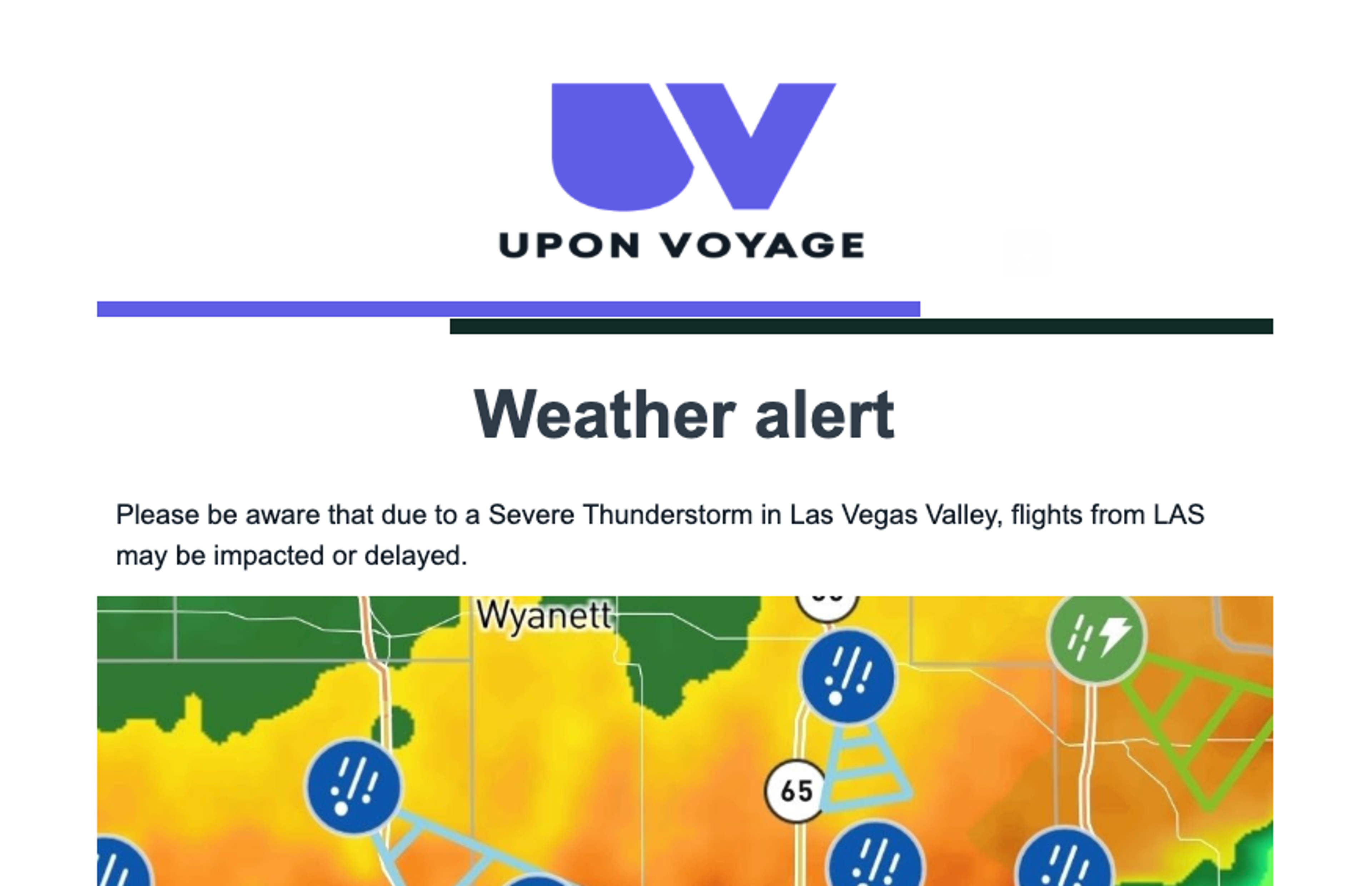
By the end of this use case, you'll be able to send an email when it's triggered by an external API event. This use case is simulating a travel brand sending a weather alert.
API Alerts
To get regular weather alerts, you would need to sign up for a subscription to a weather alert service. There are numerous services online that offer this kind of alert, we recommend searching online to find the service that works best for you.
For the purposes of this example use case, we'll use a webhook campaign in Braze to simulate the incoming webhook, demonstrated in a later section.
A weather service webhook would look something like the following condensed example, with the key fields for our use case highlighted:
1{
2  "headers": {
3    [...]
4  },
5  "payload": {
6    "@context": [
7     [...]
8    ],
9    "type": "FeatureCollection",
10    "features": [
11      {
12        "id": "https://api.weather.gov/alerts/urn:oid:2.49.0.1.840.0.8c75e7516b7375039081098956a363daec7ce0c8.001.1",
13        "type": "Feature",
14        "geometry": null,
15        "properties": {
16          "@id": "https://api.weather.gov/alerts/urn:oid:2.49.0.1.840.0.8c75e7516b7375039081098956a363daec7ce0c8.001.1",
17          "@type": "wx:Alert",
18          "id": "urn:oid:2.49.0.1.840.0.8c75e7516b7375039081098956a363daec7ce0c8.001.1",
19          "areaDesc": "Las Vegas Valley",
20          "geocode": {
21            "SAME": [
22              "032003"
23            ],
24            "UGC": [
25              "NVZ020"
26            ]
27          },
28          "affectedZones": [
29            "https://api.weather.gov/zones/forecast/NVZ020"
30          ],
31          "references": [],
32          [...]
33          "status": "Actual",
34          "messageType": "Alert",
35          "category": "Met",
36          "severity": "Severe",
37          "certainty": "Observed",
38          "urgency": "Immediate",
39          "event": "Severe Thunderstorm Warning",
40          "sender": "w-nws.webmaster@noaa.gov",
41          "senderName": "NWS Las Vegas NV",
42          "headline": "Severe Thunderstorm Warning issued July 31 at 9:48AM PDT by NWS Las Vegas NV",
43[...]
44          }
45        }
46      }
47    ],
48    "title": "Current watches, warnings, and advisories for Nevada",
49    "updated": "2025-07-31T21:15:00+00:00"
50  }
51}
Data Transformation
A Data Transformation allows you to create an Braze API request by transforming data from an incoming webhook into an API request. In this case, the Data Transformation is going to send a request to /campaigns/trigger/send which will trigger a pre-built campaign.
The complete transformation is shown at the end of this section.
Convert Data
The Data Transformation first converts the weather station ID into an airport code, since as a travel brand that is how we normally store our data.
1/******* Transform Weather Station Code -> Airport Code *****/
2const impacted_airport = ((zone)=> {
3  switch(zone){
4    case "NVZ020": return "LAS";
5    case "MN060" : return "MSP";
6    default: return "City not found";
7      }
8})(payload.features[0].properties.geocode.UGC[0])
9/***********************************************************/
Pass Along Data
The next portion of the transformation creates a JSON object to return as the body of the REST API request. The first part of this transformation sends along key information as a trigger_properties object.
11/** BrazeCall is an JSON object that will form the API request body **/
12let brazecall = {
13   // "campaign_id" determines the canvas that this transformation should trigger. Obtain this from your API triggered canvas.
14  "campaign_id": "123456", //replace with correct campaign ID once created
15  broadcast : true,
16
17  /******* Send key data that our email campaign will need *****/
18  "trigger_properties":
19  {
20    "event_text" : payload.features[0].properties.event,
21    "areaDesc" : payload.features[0].properties.areaDesc,
22    "zone" : payload.features[0].properties.geocode.UGC[0],
23    "impacted_airport" : impacted_airport
24  },
25  /***********************************************************/
26
Filter Audience
The next section filters the audience based on their custom attributes using the Connected Audience object.
27  /******* Filter audience based on airport of next flight *****/
28  "audience" :
29  {
30    "custom_attribute" :
31    {
32       "custom_attribute_name": "next_flight",
33      "comparison" : "matches_regex",
34      "value" : impacted_airport
35    }
36  }
37  /***********************************************************/
38};
39
Once the JSON request has been built, we return it to the Data Transformation.
40// After the /campaigns/trigger/send request is assigned to brazecall, you will want to explicitly return brazecall to create an output.
41return brazecall;
Complete Data Transformation
1/******* Transform Weather Station Code -> Airport Code *****/
2const impacted_airport = ((zone)=> {
3  switch(zone){
4    case "NVZ020": return "LAS";
5    case "MN060" : return "MSP";
6    default: return "City not found";
7      }
8})(payload.features[0].properties.geocode.UGC[0])
9/***********************************************************/
10
11/** BrazeCall is an JSON object that will form the API request body **/
12let brazecall = {
13   // "campaign_id" determines the canvas that this transformation should trigger. Obtain this from your API triggered canvas.
14   "campaign_id": "123456", //replace with correct campaign ID once created
15  broadcast : true,
16
17  /******* Send key data that our email campaign will need *****/
18  "trigger_properties":
19  {
20    "event_text" : payload.features[0].properties.event,
21    "areaDesc" : payload.features[0].properties.areaDesc,
22    "zone" : payload.features[0].properties.geocode.UGC[0],
23    "impacted_airport" : impacted_airport
24  },
25  /***********************************************************/
26
27  /******* Filter audience based on airport of next flight *****/
28  "audience" :
29  {
30    "custom_attribute" :
31    {
32       "custom_attribute_name": "next_flight",
33      "comparison" : "matches_regex",
34      "value" : impacted_airport
35    }
36  }
37  /***********************************************************/
38};
39
40// After the /campaigns/trigger/send request is assigned to brazecall, you will want to explicitly return brazecall to create an output.
41return brazecall;
42
Triggered Campaign
The Data Transformation needs to trigger a campaign, so the next step is to build that campaign. Create an email campaign. In the Schedule Delivery step, make sure it is set to be API triggered. You can cut-and-paste your Campaign ID into your Data Transformation once you've completed this step.
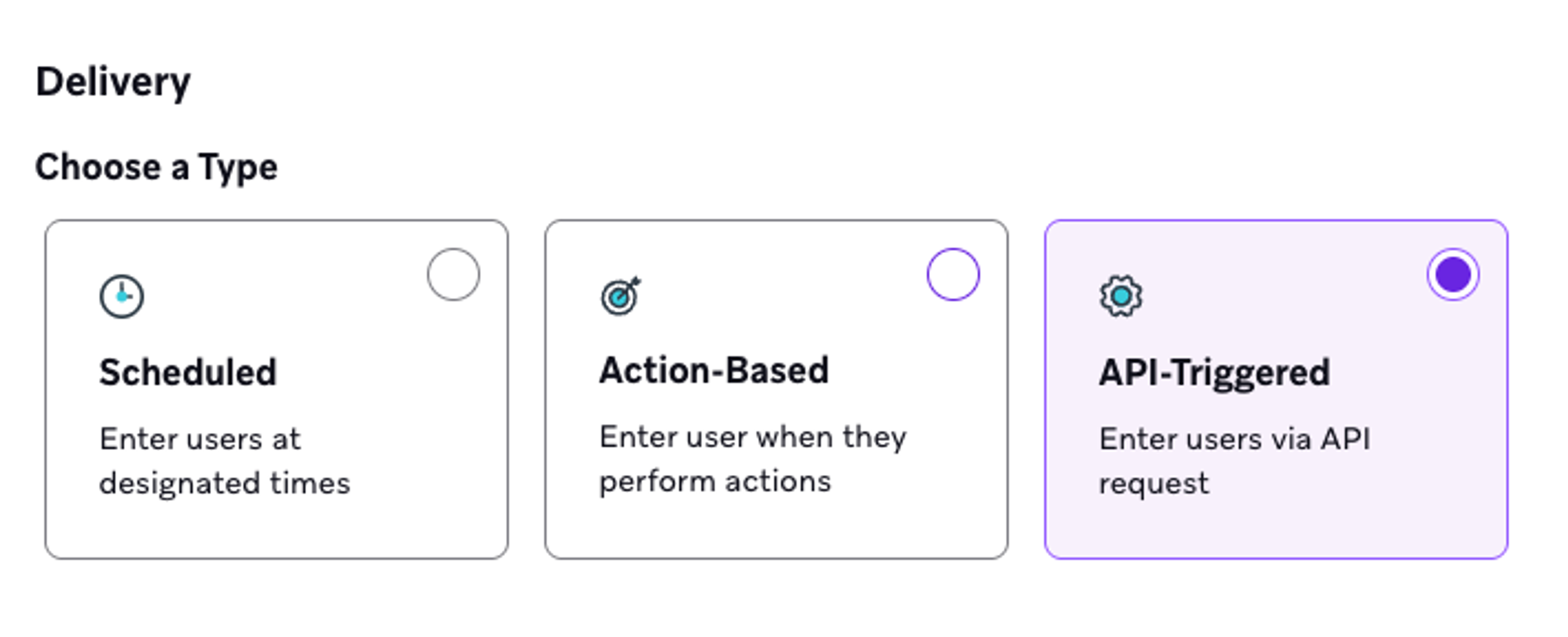
You should also set the Target Audience to a reasonable audience, but not one that is filtered by location of next flight. The Data Transformation will handle that component of the segmentation.
Templating Data
You can template in the trigger_properties using Liquid.
Please be aware that due to a {{api_trigger_properties.${event_text} | default: 'major weather event' | downcase}} in {{api_trigger_properties.${areaDesc}}}, flights from {{api_trigger_properties.${impacted_airport}}}. Testing Using Braze Webhooks
To test that your message actually triggers correctly, you can use a Braze campaign to send a webhook.
- Create a campaign, and choose Webhook as a channel.
- Go to your Data Transformation, and click Webhook Details to retrieve the Data Transformation Webhook URL. Copy the URL.
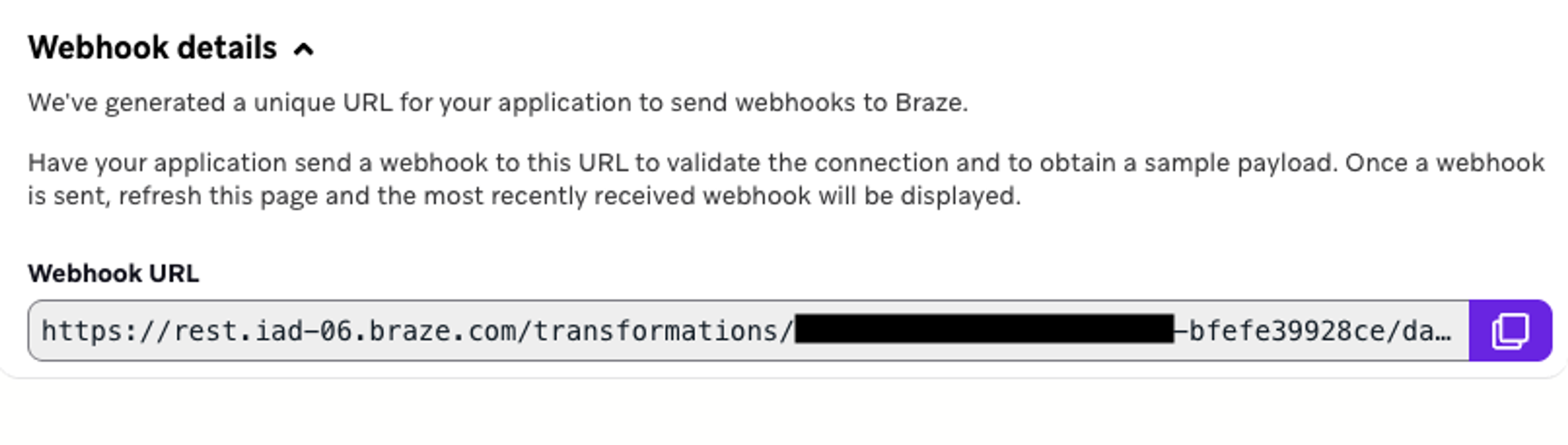
- Enter the URL into the Webhook URL section of the Compose Webhook section of the campaign.
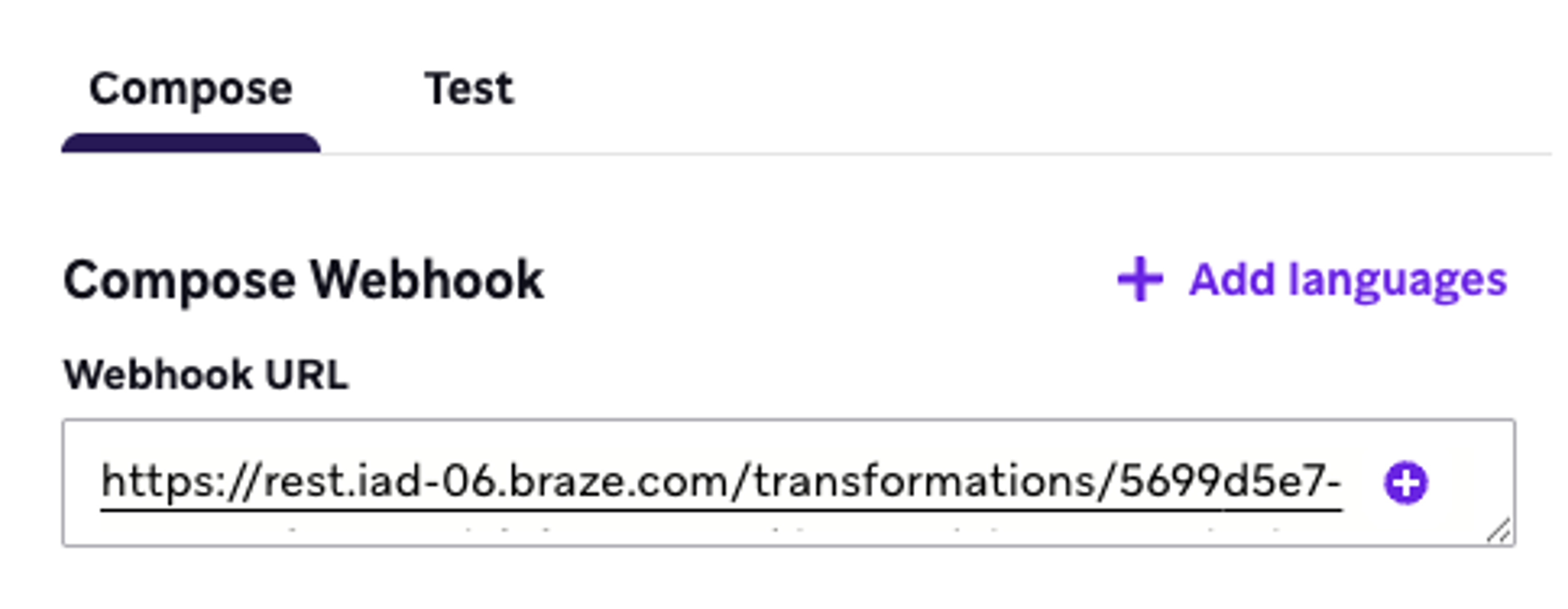
- Choose the Raw Text option, then enter the code at the end of this section.
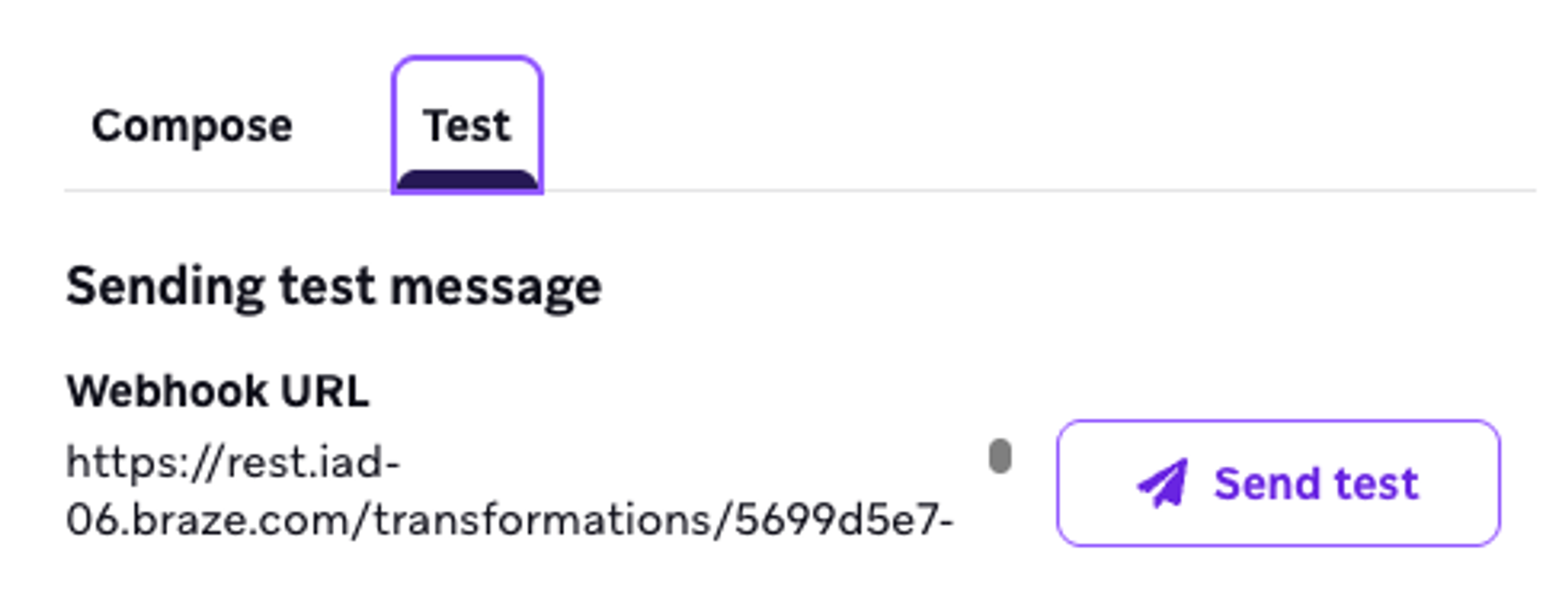
- To actually send the webhook, you can simply use the Test feature. Click the Test tab, then press Send test.
{
  "@context": [
    "https://geojson.org/geojson-ld/geojson-context.jsonld",
    {
      "@version": "1.1",
      "wx": "https://api.weather.gov/ontology#",
      "@vocab": "https://api.weather.gov/ontology#"
    }
  ],
  "type": "FeatureCollection",
  "features": [
    {
      "id": "https://api.weather.gov/alerts/urn:oid:2.49.0.1.840.0.8c75e7516b7375039081098956a363daec7ce0c8.001.1",
      "type": "Feature",
      "geometry": null,
      "properties": {
        "@id": "https://api.weather.gov/alerts/urn:oid:2.49.0.1.840.0.8c75e7516b7375039081098956a363daec7ce0c8.001.1",
        "@type": "wx:Alert",
        "id": "urn:oid:2.49.0.1.840.0.8c75e7516b7375039081098956a363daec7ce0c8.001.1",
        "areaDesc": "Las Vegas Valley",
        "geocode": {
          "SAME": [
            "032003"
          ],
          "UGC": [
            "NVZ020"
          ]
        },
        "affectedZones": [
          "https://api.weather.gov/zones/forecast/NVZ020"
        ],
        "references": [],
        "sent": "2025-07-31T09:48:00-07:00",
        "effective": "2025-07-31T09:48:00-07:00",
        "onset": "2025-07-31T09:48:00-07:00",
        "expires": "2025-08-01T00:00:00-07:00",
        "ends": null,
        "status": "Actual",
        "messageType": "Alert",
        "category": "Met",
        "severity": "Severe",
        "certainty": "Observed",
        "urgency": "Immediate",
        "event": "Severe Thunderstorm",
        "sender": "w-nws.webmaster@noaa.gov",
        "senderName": "NWS Las Vegas NV",
        "headline": "Severe Thunderstorm Warning issued July 31 at 9:48AM PDT by NWS Las Vegas NV",
        "description": "The National Weather Service in Las Vegas has issued a Severe Thunderstorm Warning for the Las Vegas Valley until 12:00 AM PDT tonight. At 9:45 AM PDT, a severe thunderstorm was located over the central Las Vegas Valley, moving east at 25 mph. This storm is capable of producing damaging winds in excess of 60 mph and quarter-sized hail. Significant damage to roofs, siding, and trees is possible. Mobile homes may be damaged or overturned. People in the affected area should seek safe shelter immediately. Move to an interior room on the lowest floor of a sturdy building. Avoid windows. If you are outdoors, in a mobile home, or in a vehicle, move to the closest substantial shelter and protect yourself from flying debris.",
        "instruction": "For your protection, move to an interior room on the lowest floor of a sturdy building. Avoid windows. If you are in a mobile home, a vehicle, or outdoors, move to the closest substantial shelter and protect yourself from flying debris.",
        "response": "Shelter",
        "parameters": {
          "AWIPSidentifier": [
            "SVRVEF"
          ],
          "WMOidentifier": [
            "WFUS75 KVEF 311648"
          ],
          "NWSheadline": [
            "SEVERE THUNDERSTORM WARNING IN EFFECT UNTIL MIDNIGHT PDT TONIGHT"
          ],
          "BLOCKCHANNEL": [
            "EAS",
            "NWEM",
            "CMAS"
          ]
        },
        "scope": "Public",
        "code": "IPAWSv1.0",
        "language": "en-US",
        "web": "http://www.weather.gov",
        "eventCode": {
          "SAME": [
            "SVR"
          ],
          "NationalWeatherService": [
            "SVR"
          ]
        }
      }
    }
  ],
  "title": "Current watches, warnings, and advisories for Nevada",
  "updated": "2025-07-31T21:15:00+00:00"
}