Use Case
Create a Preference Survey Using Canvas and In-App Messages
Learn about Your Users
Understanding your users' preferences and motivations is crucial for creating messaging that truly resonates. You can then use this data to craft personalized content for groups of users based on their attributes.
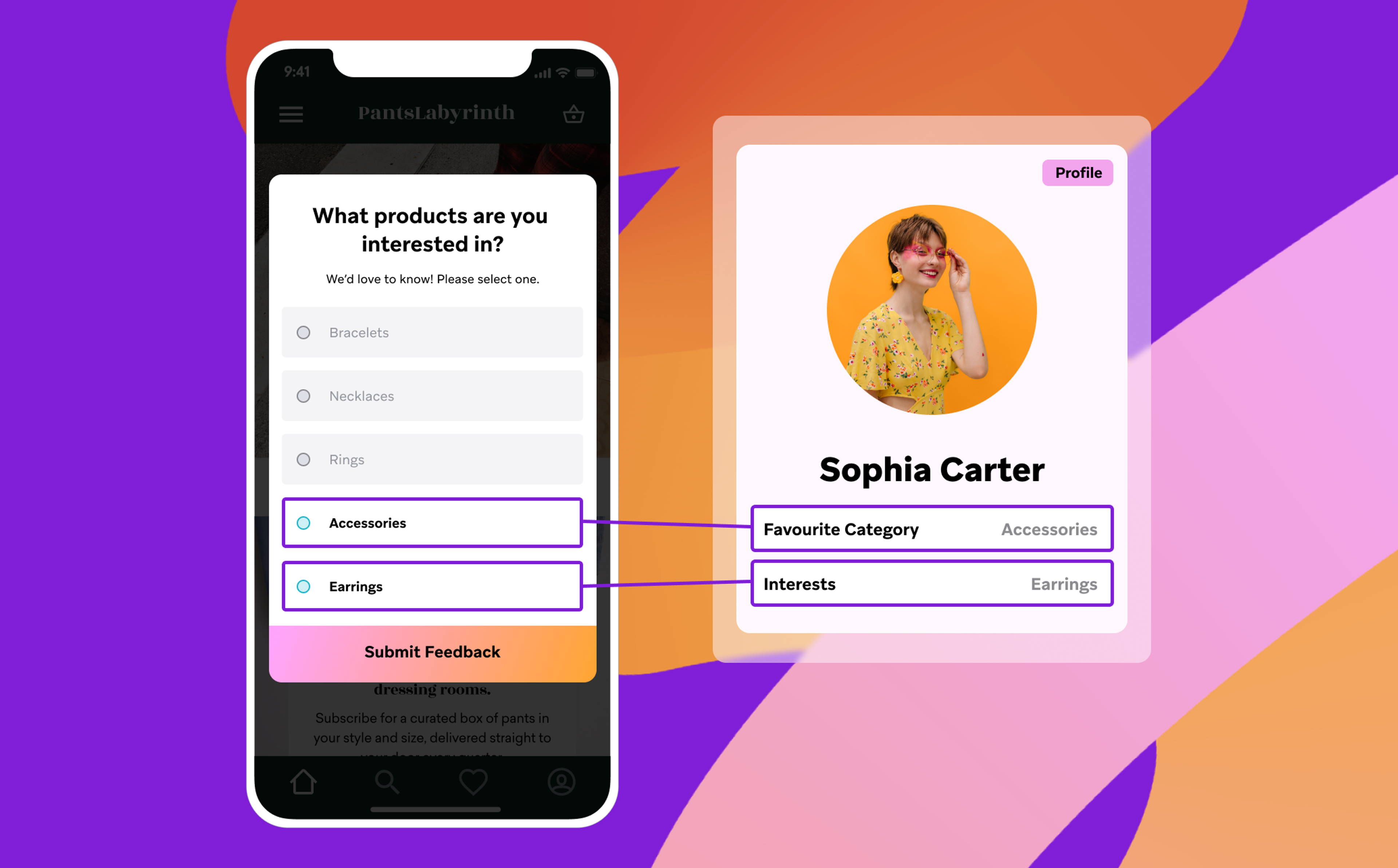
The information you collect from preference surveys lets you deliver more personalized and relevant content that will nurture your new users toward becoming engaged customers.
As a voluntary data collection tool, In App Message (IAM) preference campaigns are a vehicle for gathering zero-party data, which is information that users intentionally and proactively share. Zero-party data is direct, reliable information that helps you better understand your users and provide more value in future communications – without being intrusive.
Industry Examples
Preference campaigns are flexible and can be used in many different industries, including:
- Retail & eCommerce: Use a preference survey to ask shoppers for their style or product preferences, then send them personalized recommendations for these items.
- Video Streaming: Use a preference survey to ask watchers for their favorite genre, streamers or type of content, then use this zero-party data to offer them recommendations for their next video.
- Financial Services: Use a preference survey to learn about users’ financial goals and use that information to share personalized content to help users meet these goals.
Use Case: Create a Preference Survey using Canvas and In-App Messages
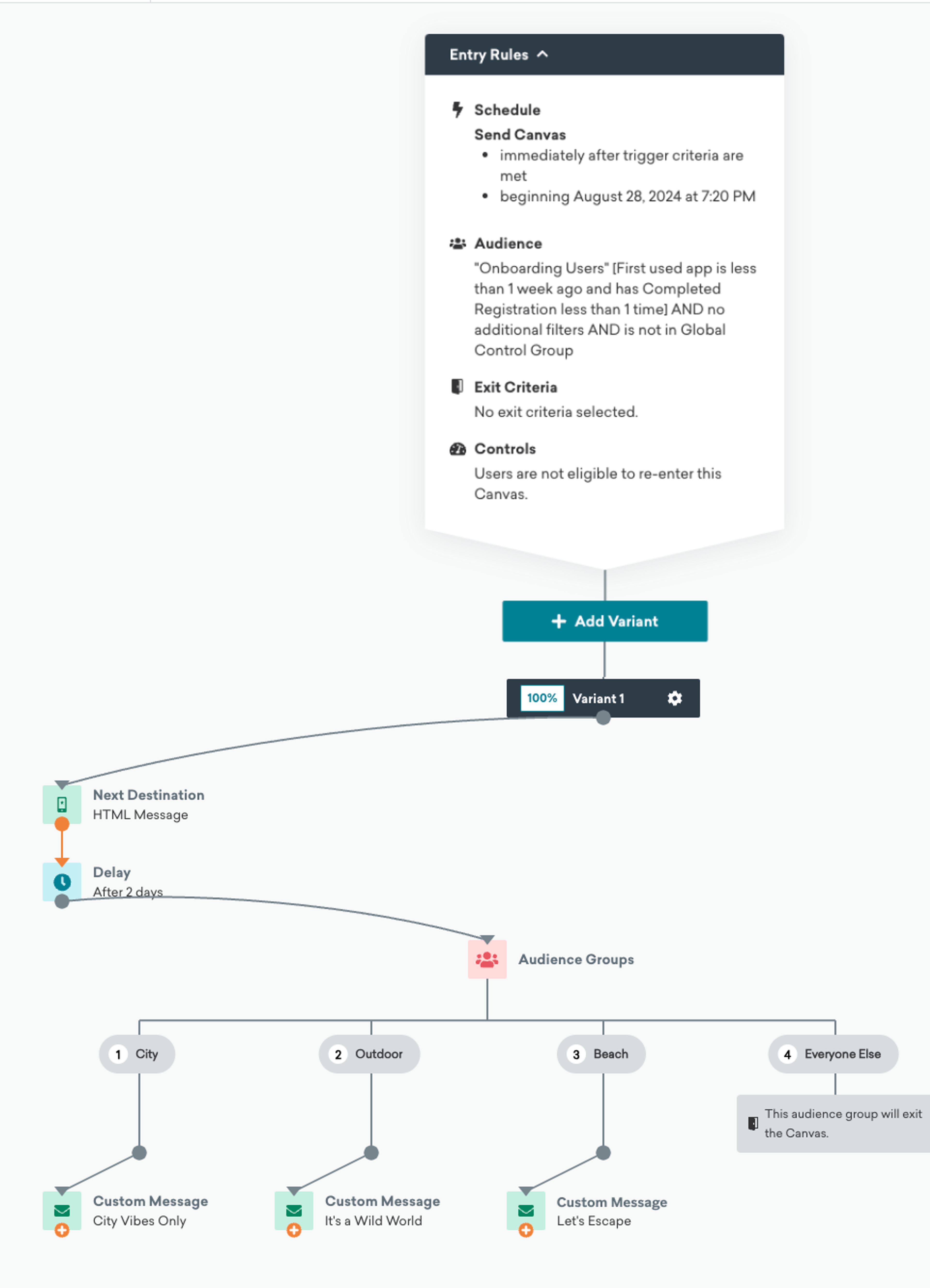
In this use case, you'll learn how a travel brand uses an in-app message survey to collect data on their users' preferences.
You will use Canvas to orchestrate the survey and subsequent personalized message content based on the survey data. Select the numbered icons to learn more about how the Canvas works.
How It's Done
In the following video, learn the step-by-step process of collecting user preference data using Canvas and In-App Messages.
Step-by-Step Instructions
Select the options below for step-by-step instructions on how to perform this use case.
To successfully execute this use case, you will need the following:
Data Requirements
Single vs. Multiple Custom Attributes
In this use case, all survey responses are logged as a value for one custom attribute (destination_type).
Depending on your use case, you could also select a different custom attribute per question, and have the response logged as a different value.
For example:
- If the user chooses Popular City, their response would be logged as the custom attribute
interested_in_citiesas the value "yes" - If the user chooses Outdoor Adventure, their response would be logged as the custom attribute
interested_in_outdoorsas the value "yes" - If the user chooses Beach Resort, their response would be logged as the custom attribute
interested_in_beachesas the value "yes"
This approach works well in a multiple choice survey, where the user can select multiple options. In this case, you could learn that a user is interested in beach and outdoor destinations, and use this information to design and target personalized messaging.