Lesson
Testing Webhooks
It’s important to thoroughly check your webhooks before you make your campaign or Canvas live, especially if you’re not easily able to access the receiving server. A webhook needs to be correctly formatted for it to be correctly received by a server.
Validate JSON
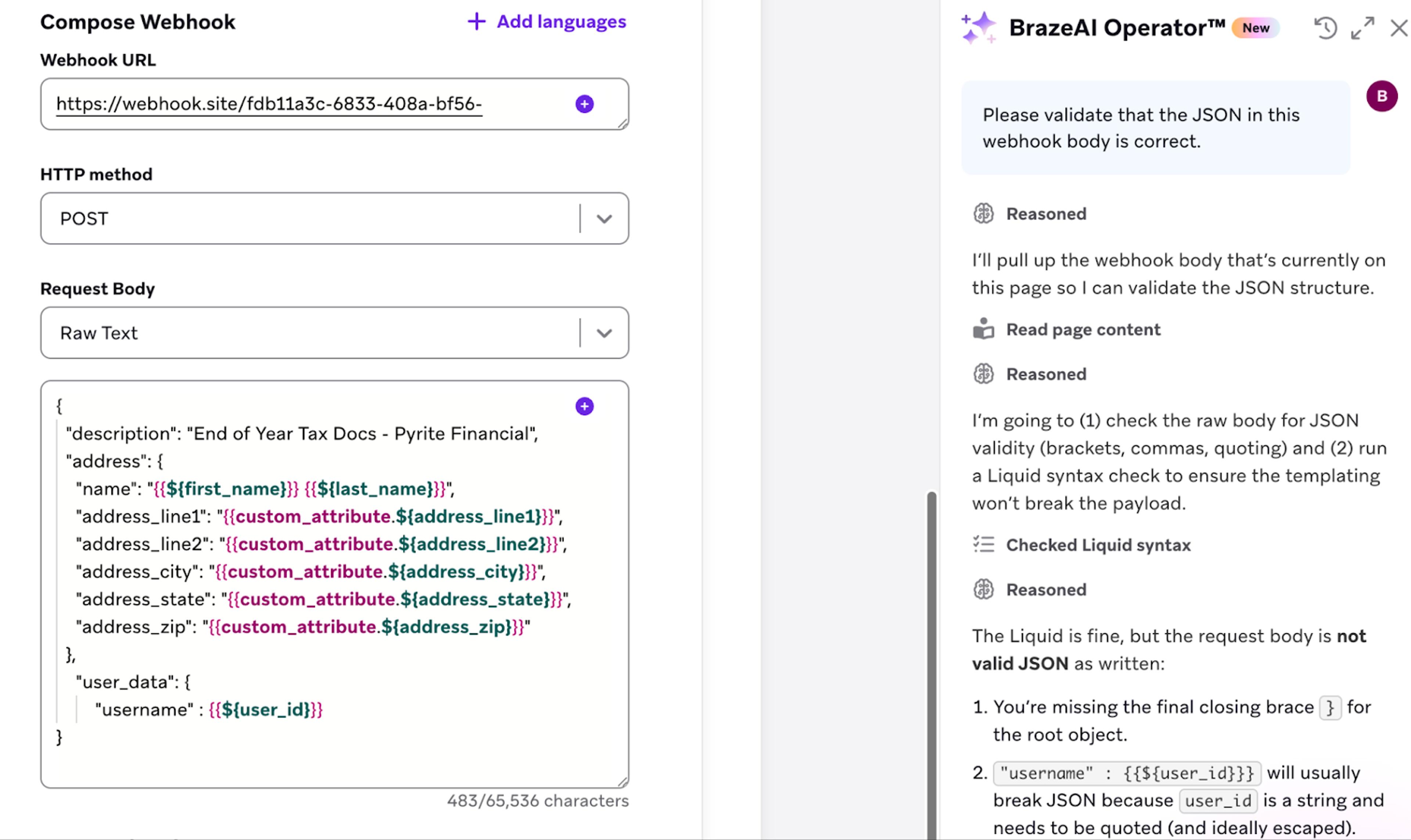
Getting your JSON formatting correct can be tricky, since a single extra comma, or missing bracket can cause the message to fail. The BrazeAI™ Operator can help avoid problems by validating your JSON for you.
Test send the webhook
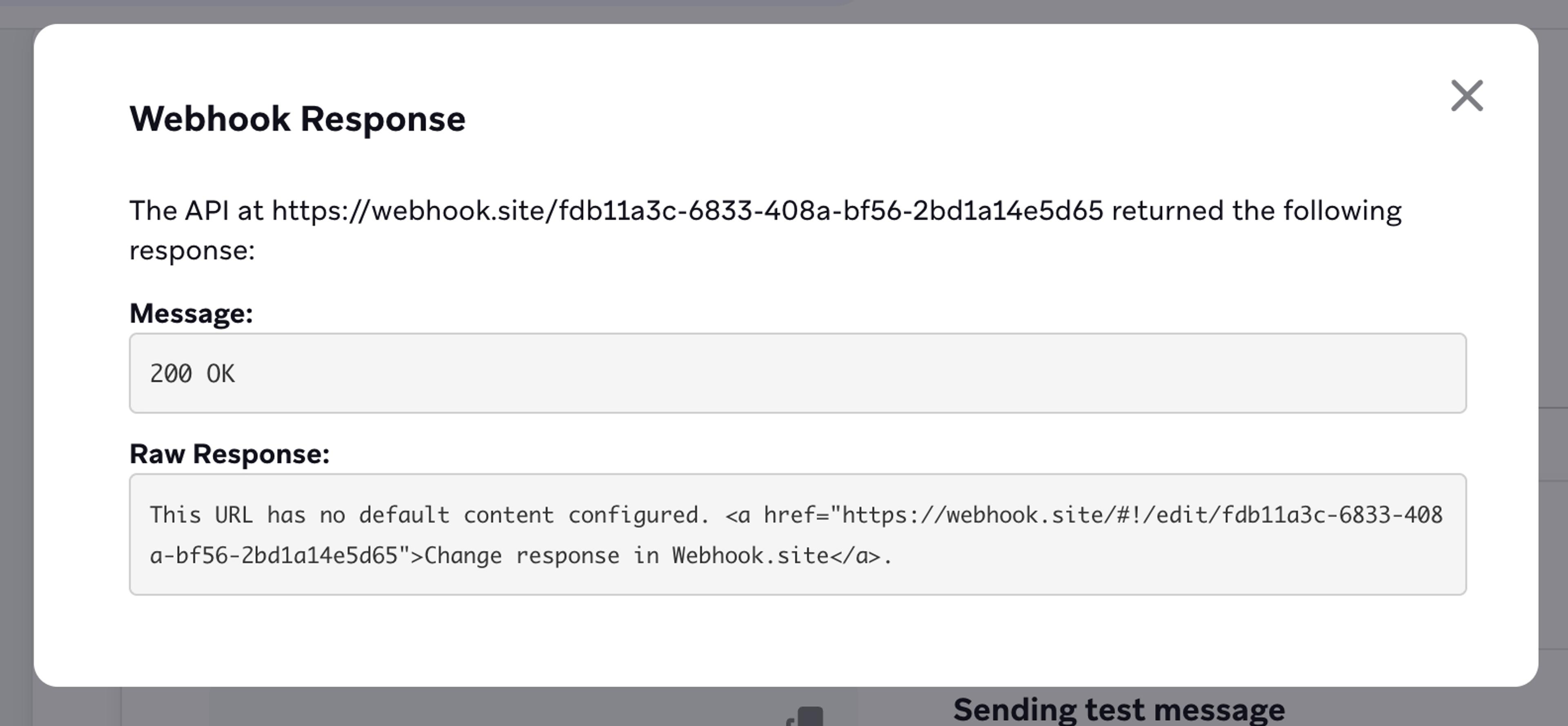
You can test your webhooks using the Test tab. Ensure that your URL is correct, then press Send Test.
You’ll receive a response from your endpoint. A response with between 200-299 (2XX) normally marks a successfully formatted message. If possible, you should check that the API took the requested action. Some APIs may return a 2XX response for a correctly formatted message, but there may be another layer of processing that does not accept the data or act on it. Read the documentation for your API carefully to understand all of the responses.
Error responses will normally give a clear reason for the error. For example, if you receive a 401—Unauthorized error, you may have used the wrong API key, or formatted your header incorrectly.
Testing Liquid
Always test your Liquid thoroughly before going live with a webhook campaign or Canvas.
First, you can ask BrazeAI™ Operator to check your Liquid and ensure you haven’t made any basic errors.
You can also test your Liquid output by going to the Test tab of the message composer.
It’s best to test your Liquid by using a Custom User. This allows you to test different values for each attribute that will be templated into the message.
When testing your Liquid, it’s helpful to check for common issues:
- No data available
If there’s no data for an item, it may cause the code to fail. You can avoid this in the following ways:- Wrap key data in an
{% if %}tag, then abort the message before it fails. - Use the
| defaultfilter to provide a placeholder value. Visit our documentation on how to do this for different data types.
- Wrap key data in an
- JSON Data Formatting
You need to make sure that your Liquid renders as correct JSON. For example, if you have an array value and use{{array_name}}, it may not be formatted as a correct JSON array. You may need to use a loop or a| joinfilter to format the data correctly.
Once you’ve finished testing thoroughly with a Custom User, it can be helpful to use the Random User function to make sure you’ve caught common edge cases.
Test Sending to Endpoints
In many cases, you may not have full permission to access your receiving endpoint. This can make it difficult to tell exactly how your webhook is appearing from the perspective of the receiving endpoint server. This is especially challenging when your message has complex Liquid.
You can find a number of websites which create a temporary endpoint. Once you send them a webhook, you’ll be able to see how your webhook message will look from the perspective of the receiving server.
This can help you troubleshoot the headers and body of your message. You can compare the output your webhook is sending with the example output in the documentation for the endpoint you’re sending to. You can combine this testing with your Liquid testing to check how personalized messages will be received by the endpoint.
When using a test endpoint, send a placeholder authentication code rather than your correct authentication code. You should also avoid sending any personally identifying information from your users.
Check the Message Activity Log
Once you’ve launched your messaging, any errors with your webhooks will be caught by the Message Activity Log. The log will show how messages failed. Learn more in our message activity log documentation or in our Testing and Troubleshooting course.