Quick Tip
Optimize RCS Design Across Devices
Rich Communication Services, or RCS, is the next generation of mobile messaging. Compared to traditional SMS, RCS allows brands to engage with their customers through rich, branded and interactive experiences.
RCS messages can be deployed in several formats, depending on your campaign goals:
A standalone multimedia message that combines high-resolution assets (images, video, or GIFs) with a title, description, and interactive buttons.
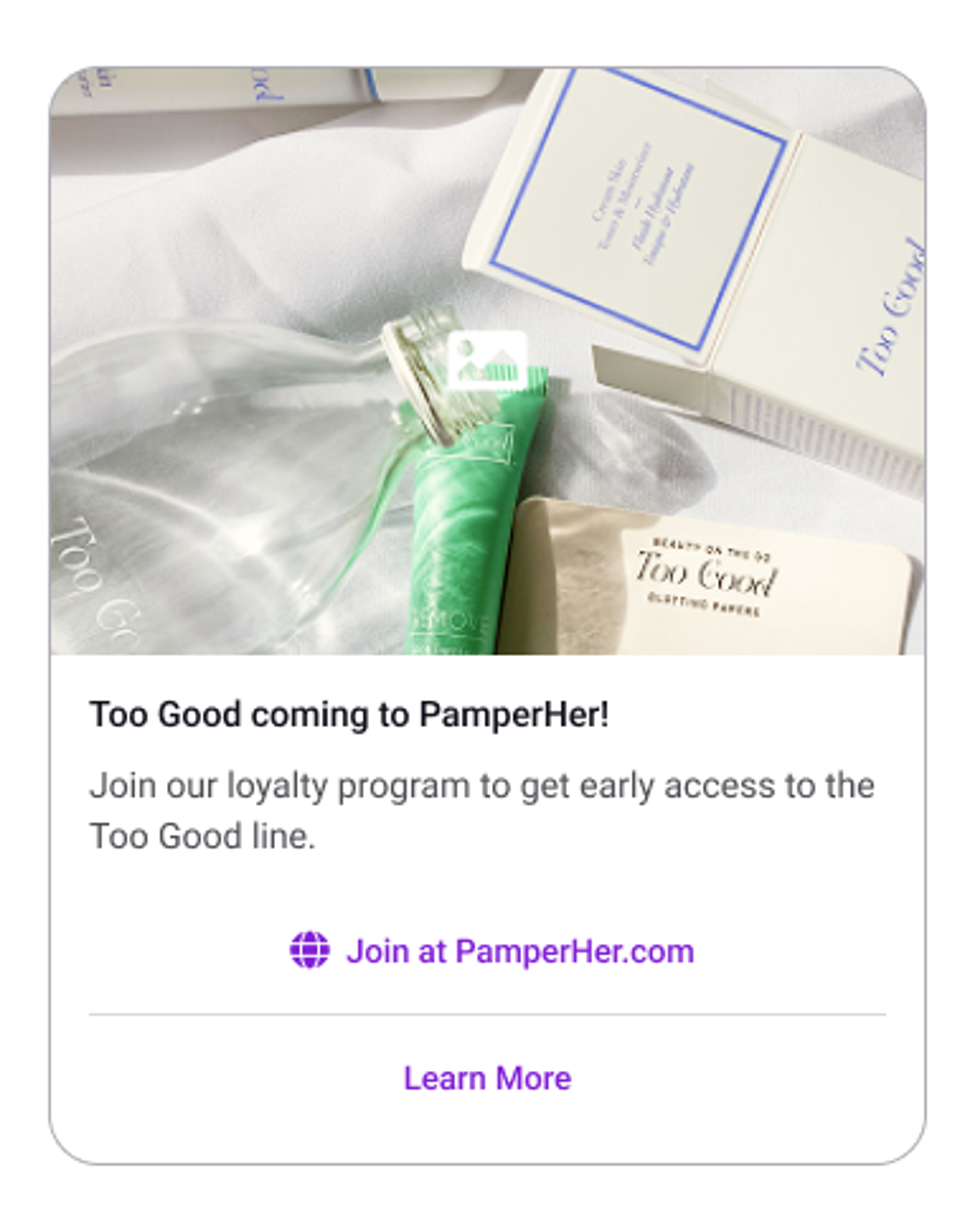
One of the primary advantages of RCS is that, unlike third-party messaging apps, your rich media content is delivered directly through the user’s native messaging system. This allows you to easily reach both iOS and Android users. However, because iOS and Android interpret RCS components differently, understanding how these messages render in each platform is essential for creating clear and engaging experiences for every customer.
Platform Differences
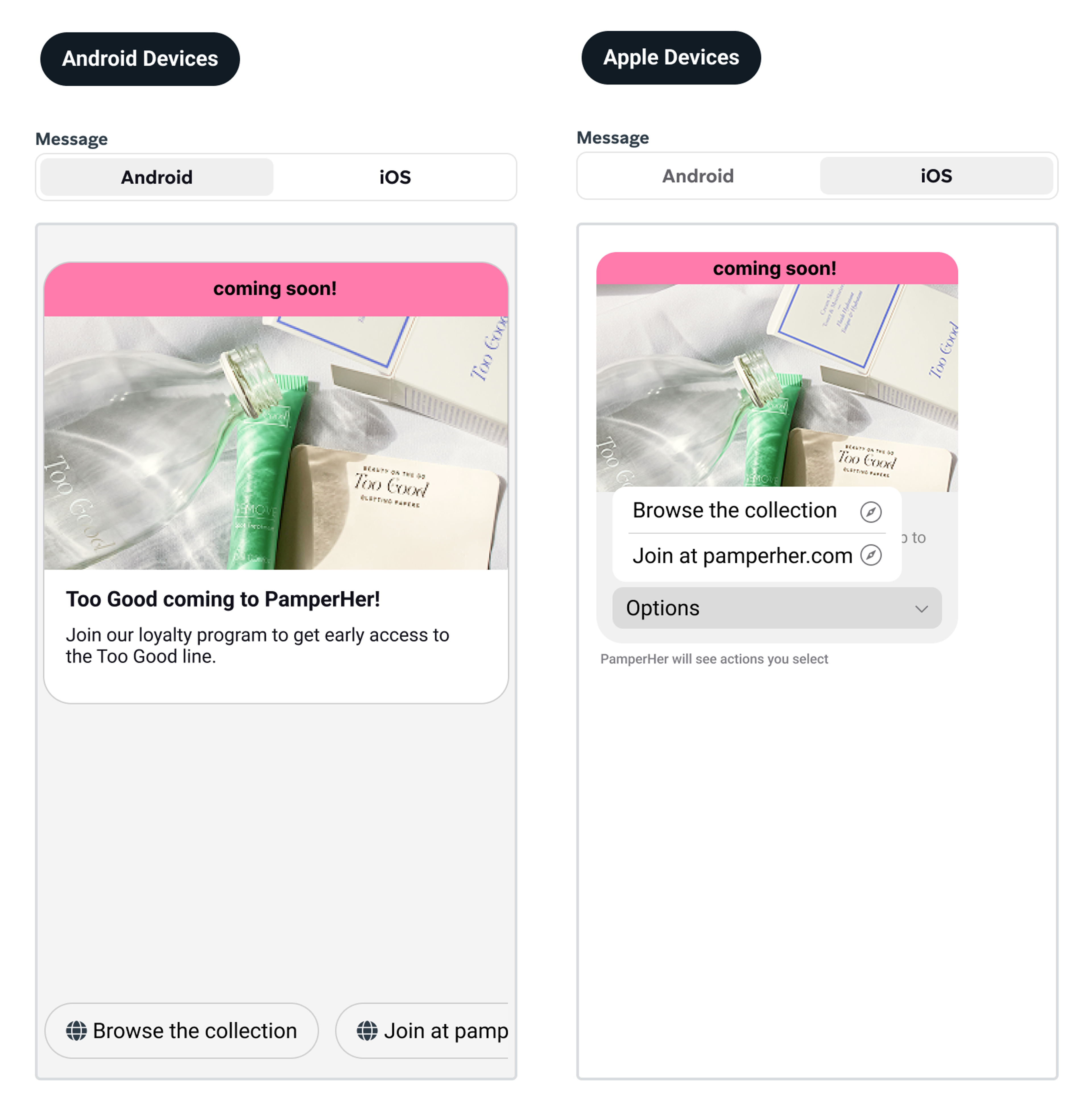
In the example above, you’ll notice two distinct versions of the same message. While these were designed identically within Braze, they rendered differently for iOS versus Android users. This discrepancy isn’t exclusive to Braze; rather, it is a characteristic of RCS as a channel. RCS is the industry standard, but because it is received through a device’s native messaging system, it is subject to the unique rendering differences that exist between Apple and Android devices , leading to varied customer experiences.
Why is this a problem?
Marketers are used to designing SMS and MMS campaigns with the expectation that the output will look identical across all devices. In order to create the most effective marketing campaigns, you must learn to account for UI differences. If you design solely for the Android UI, you may inadvertently create a confusing experience for iOS users.
In this lesson, you will learn how these UIs differ and gain practical tips for keeping your RCS campaigns consistent to minimize discrepancies in your customer experience.
Layout Logic: Where do CTAs live?
Common RCS action types include quick replies and links, both of which appear differently depending on the platform.
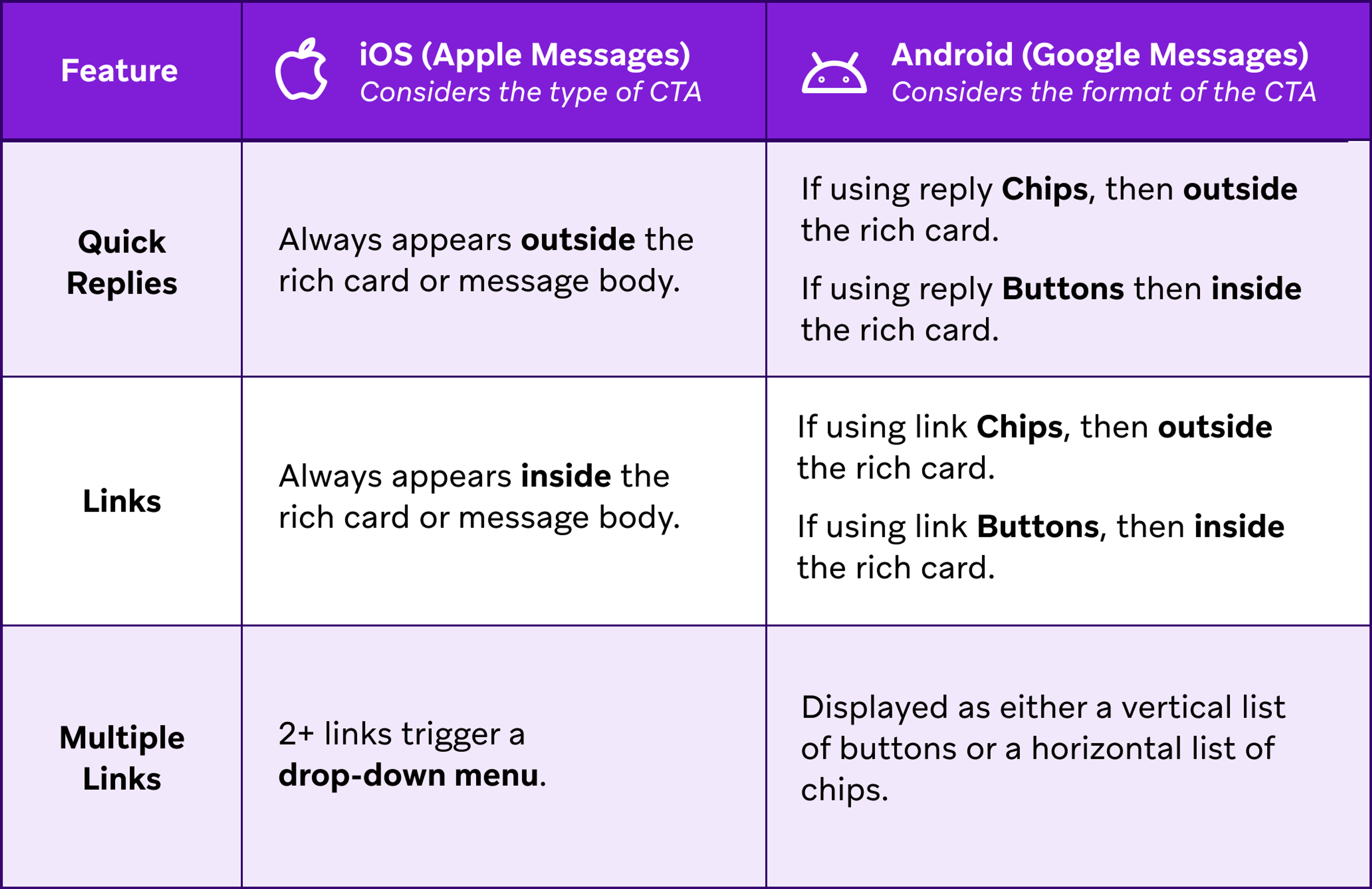
iOS prioritizes the type of CTA: All links are treated the same, and all replies are treated the same. Quick replies always sit outside the rich card, while links are always contained within it.
Android prioritizes the format of the CTA: In Braze, you can place CTAs within either a chip or a button. Chips always appear outside the rich card, whereas buttons are always contained within it. It is important to note that both links and replies can be formatted as either a chip or a button when designing for Android.
Let’s see how quick replies, links, chips and buttons appear on both platforms. In the example below, a PamperHer marketer created a message in the Braze editor with the following CTAs and formats:
- Website link as a button
- Quick reply “Tell me more” as a button
- Quick reply “Maybe later” as a chip
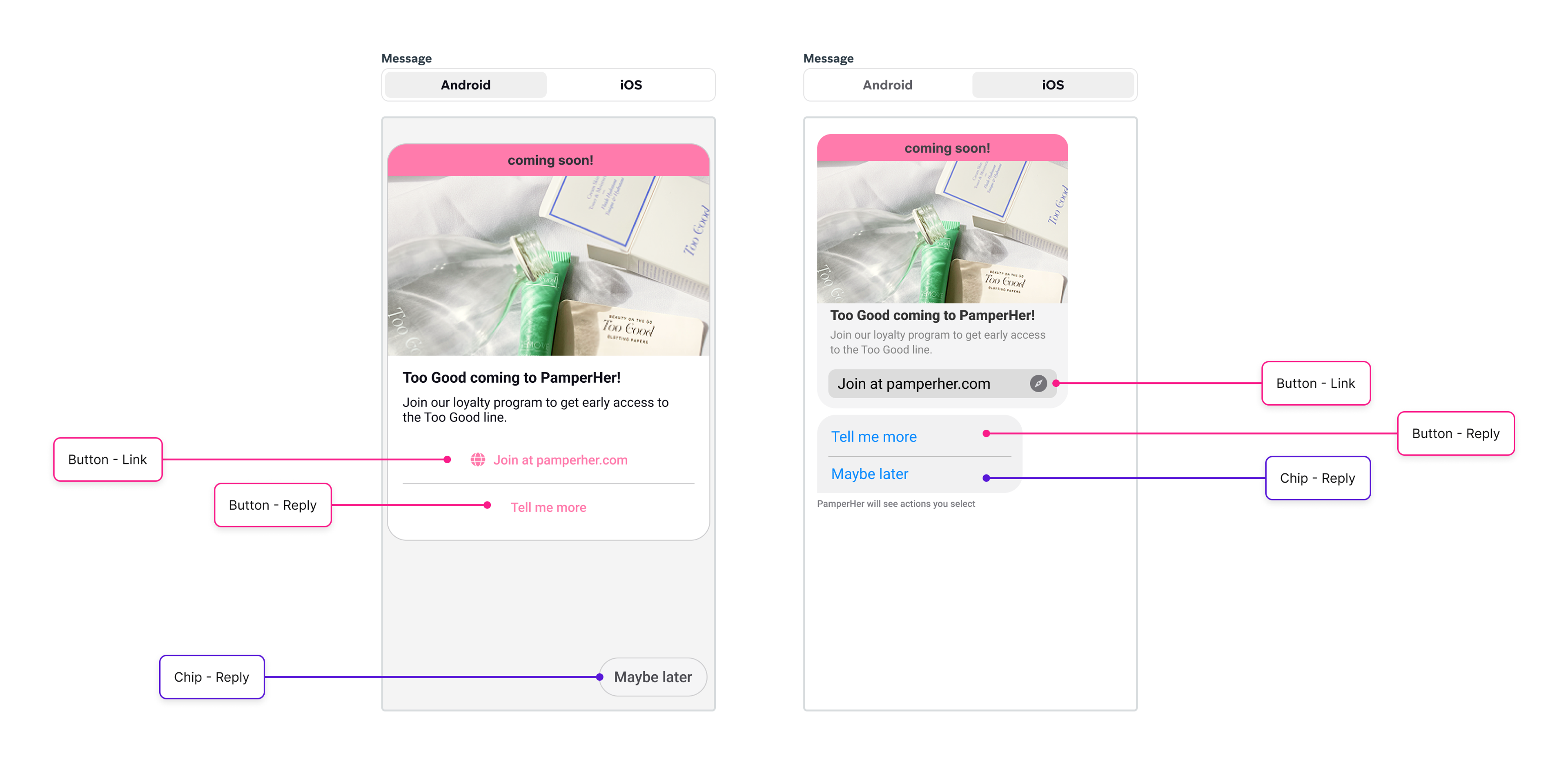
In the Android example, “Join at pamperher.com” and “Tell me more” were configured as buttons within Braze, so both are contained within the rich card. “Maybe later” was entered as a chip, so it appears outside the rich card.
In the iOS example, the type of CTA (link vs quick reply) dictates the final location. Because "Join at pamperher.com" is a link, it appears inside the message as a button. However, because "Tell me more" is a reply, it will render outside the rich card as a chip, even though it was configured as a button in Braze. “Maybe later” is also a reply so it will appear outside the message, like a chip.
Use this chart as a quick guide of the differences between the two
When to use Chips vs. Buttons
To help you keep things consistent, we strongly recommend following these guidelines around button and chip usage in the Braze editor. Review each scenario below to learn more:
Recommendation: Use chips only.
Visual Outcome: These will appear below the message on both platforms regardless of CTA type.
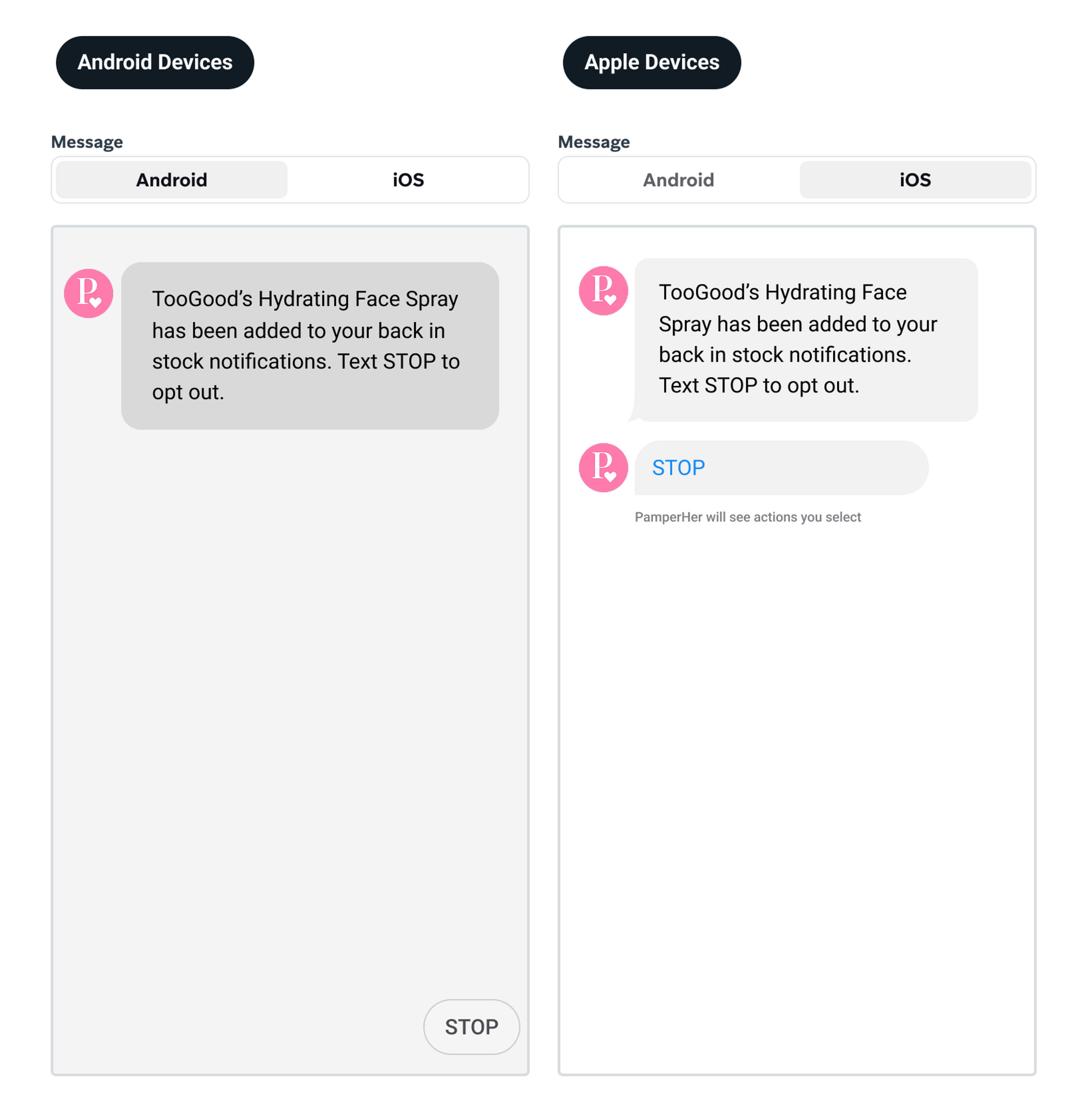
When an Android user taps a reply CTA, it triggers a new message in the conversation, causing any chips to disappear from the interface. Keep this in mind during your design process: Is it okay for the link or reply to vanish once the user has made a selection? If you need the options to remain visible and accessible regardless of the user’s action, using a button is the more appropriate choice.
Cross-Platform Checklist
To ensure your RCS campaigns appear as you intend them, go through the following checklist every time before you hit send:
Learn how to create and send an RCS message in this video!